Fire TV Remote Not Working After New Batteries? Try These 8 Fixes
Quick answer: If your Fire TV remote is not working after new batteries, first confirm that both batteries are fresh, matched AAA alkaline cells and are facing the correct direction. Then restart the Fire TV, hold the Home button to pair the remote again, and reset the remote only if pairing still fails.
A new pair of batteries rules out one common problem, but it does not prove that the remote is receiving power or still paired with the Fire TV. Battery contacts, a frozen Fire TV, wireless interference, and a lost pairing can all create the same symptom.
Why a Fire TV remote can fail with fresh batteries
The remote and streaming device communicate over Bluetooth, so the remote does not need a clear line of sight like a basic infrared remote. That also means replacing batteries will not fix a Fire TV that is frozen, a remote that lost its pairing, or damaged contacts inside the battery compartment.
Work through the checks below in order. The early steps are fast and do not erase your apps, accounts, or settings.
1. Recheck the battery direction and type
Remove both batteries and inspect the polarity symbols inside the compartment. Fire TV remotes do not always place both batteries in the same direction, so follow the plus and minus markings rather than assuming.
- Use two new AAA alkaline batteries from the same package.
- Do not mix an old battery with a new one.
- Do not mix battery brands or rechargeable and disposable cells.
- Press each battery firmly into place before replacing the cover.
Amazon recommends alkaline batteries for the best remote performance. If you installed rechargeables, test with ordinary alkaline batteries before moving on.
2. Inspect the battery contacts
Look at the metal springs and tabs at both ends of the battery slots. A battery can be new but fail to power the remote if a contact is flattened, dirty, or corroded.
With the batteries removed, wipe loose dust from the compartment using a clean, dry, lint-free cloth. Do not pour cleaner or water into the remote. If you see heavy corrosion, leakage, or a broken contact, stop using the remote and consider replacing it.
3. Restart the Fire TV, not just the remote
A Fire TV that has frozen may ignore a perfectly good remote. Disconnect the Fire TV from power, wait a full 60 seconds, and reconnect it. If you use a Fire TV Stick, power it from its wall adapter instead of a television USB port when possible.
Wait for the Fire TV home screen to finish loading before testing the remote. This restart does not delete anything.
4. Pair the remote again
Move within about 10 feet of the Fire TV. Press and hold the Home button for approximately 10 seconds. Watch the television for an on-screen confirmation and check whether the remote light begins flashing.
If nothing happens, repeat the attempt after the Fire TV has fully restarted. Nearby Bluetooth equipment, Wi-Fi routers, and objects blocking the Fire TV can sometimes interfere, so temporarily move other wireless devices away during pairing.
5. Read the remote’s status light
The light can narrow down the fault quickly:
| What you see | What it usually means | What to do next |
|---|---|---|
| Slow red blinking | The batteries are low or are not supplying enough power | Try a matched pair of new alkaline batteries |
| Orange blinking | The remote is searching or trying to pair | Restart the Fire TV and pair again |
| No light at all | No power, poor battery contact, or hardware failure | Recheck polarity and contacts, then test another battery pair |
| Light works but Fire TV does not respond | Lost pairing, interference, or a frozen Fire TV | Restart and pair the remote again |
If the remote shows a blinking orange light or repeatedly fails to reconnect, use our dedicated Fire TV remote blinking orange and pairing guide.
6. Reset the Fire TV remote
Use a remote reset only after the basic power and pairing checks. Button combinations vary by remote model, so confirm your model in Amazon’s instructions before resetting it.
For many Alexa Voice Remotes, Amazon’s general process is to unplug the Fire TV from power and HDMI, wait 60 seconds, then hold Left + Menu + Back together for about 12 seconds. Release the buttons, wait, remove the batteries, reconnect the Fire TV, reinstall the batteries, and press Home to pair.
Some first-generation or basic remotes use a different sequence. Do not repeatedly try random combinations because that makes troubleshooting harder.
7. Use the Fire TV mobile app temporarily
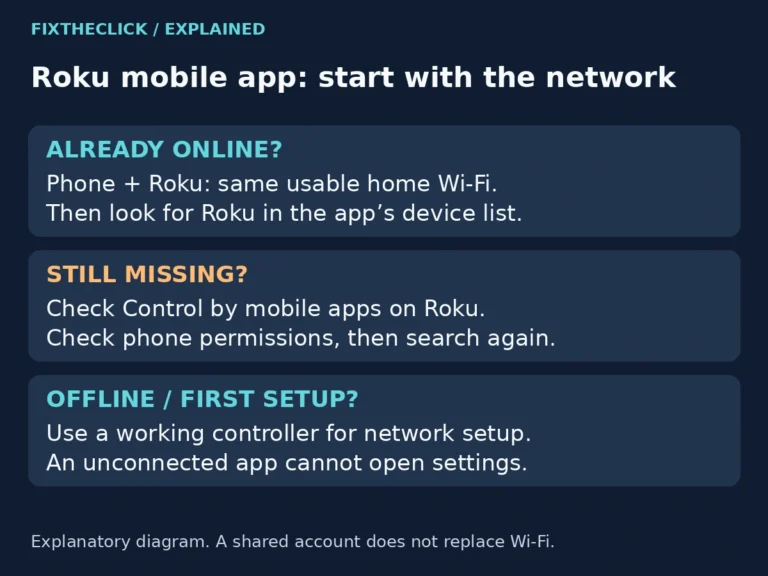
The official Amazon Fire TV mobile app can act as a temporary remote while you troubleshoot or order a replacement. Connect the phone and Fire TV to the same Wi-Fi network, open the app, choose the Fire TV, and enter the code shown on the television.
If the Fire TV is not connected to Wi-Fi, the app may not find it. In that case, borrowing a compatible remote or using a television remote through HDMI-CEC may help you regain control.
If the phone app still shows no devices, follow our Fire TV app not finding your device guide to check the home network, local-network permission, and guest isolation before changing the remote setup.
8. Check compatibility before replacing the remote
Not every Fire TV remote works with every Fire TV model. Before buying a replacement, identify the exact Fire TV Stick, Cube, or television model and check the remote’s compatibility list.
Replacement is reasonable when the remote shows no light with several verified battery pairs, the battery contacts are damaged, buttons are physically stuck, or the remote cannot pair with a compatible Fire TV after an official reset.
Fast diagnosis by symptom
| Symptom | Most likely first check |
|---|---|
| Remote died immediately after changing batteries | Battery direction and contact alignment |
| Remote light blinks red | Battery quality and charge |
| Remote light blinks orange | Pairing |
| Remote has a light but no buttons work | Restart the Fire TV |
| Only power, volume, or mute fails | Equipment Control for the TV or soundbar |
| Mobile app works but physical remote does not | Remote pairing or hardware failure |
If navigation and Home still work but only volume, power, or mute fails, the remote is usually paired. Follow our Fire TV volume and power button troubleshooting guide to reconfigure the TV or soundbar controls.
The best order to try
Start with battery direction and contacts, restart the Fire TV for 60 seconds, hold Home to pair, and only then perform the model-specific remote reset. This order fixes the common causes without erasing your Fire TV or changing unrelated settings.
Official references
- Amazon: Troubleshoot your Fire TV remote
- Amazon: Pair your Fire TV remote
- Amazon: Reset your Fire TV remote
Fire TV and Alexa are trademarks of Amazon.com, Inc. FixTheClick is an independent troubleshooting site and is not affiliated with Amazon.