Fire TV Remote Volume and Power Buttons Not Working—but Navigation Still Works
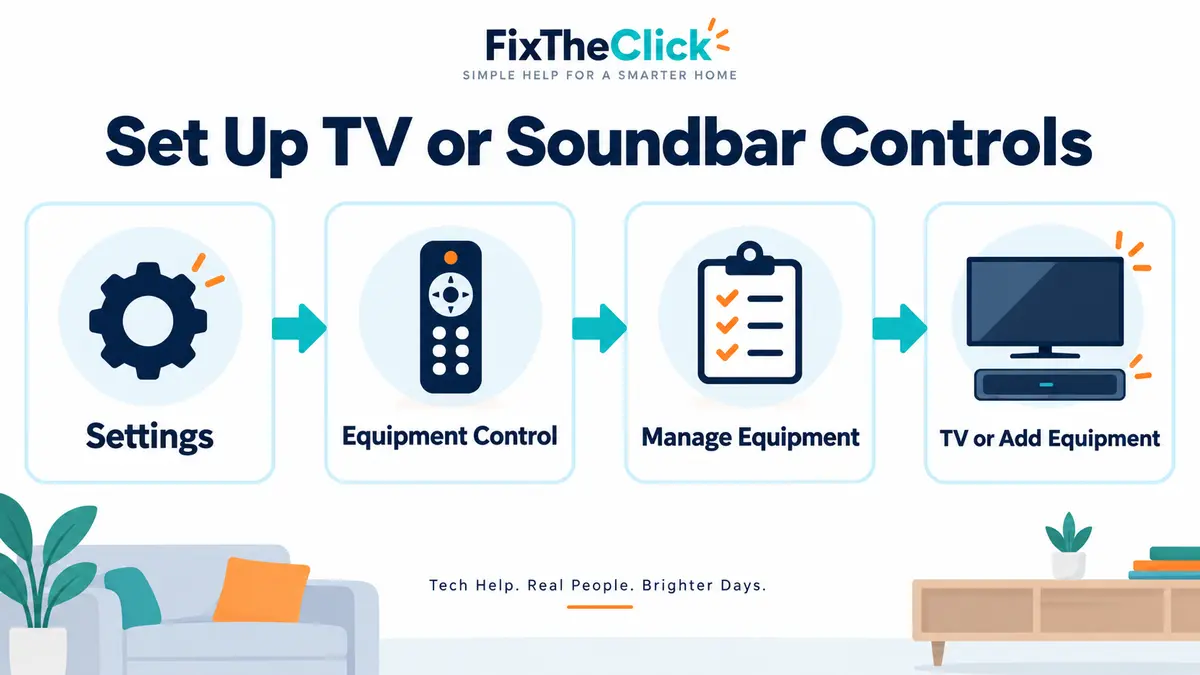
Quick answer: If your Fire TV remote volume is not working but navigation, Home, and Back still respond, the remote is usually still connected to the Fire TV. The problem is more likely related to the TV or soundbar control setup. Open Settings > Equipment Control > Manage Equipment and set up the correct TV or audio device again.
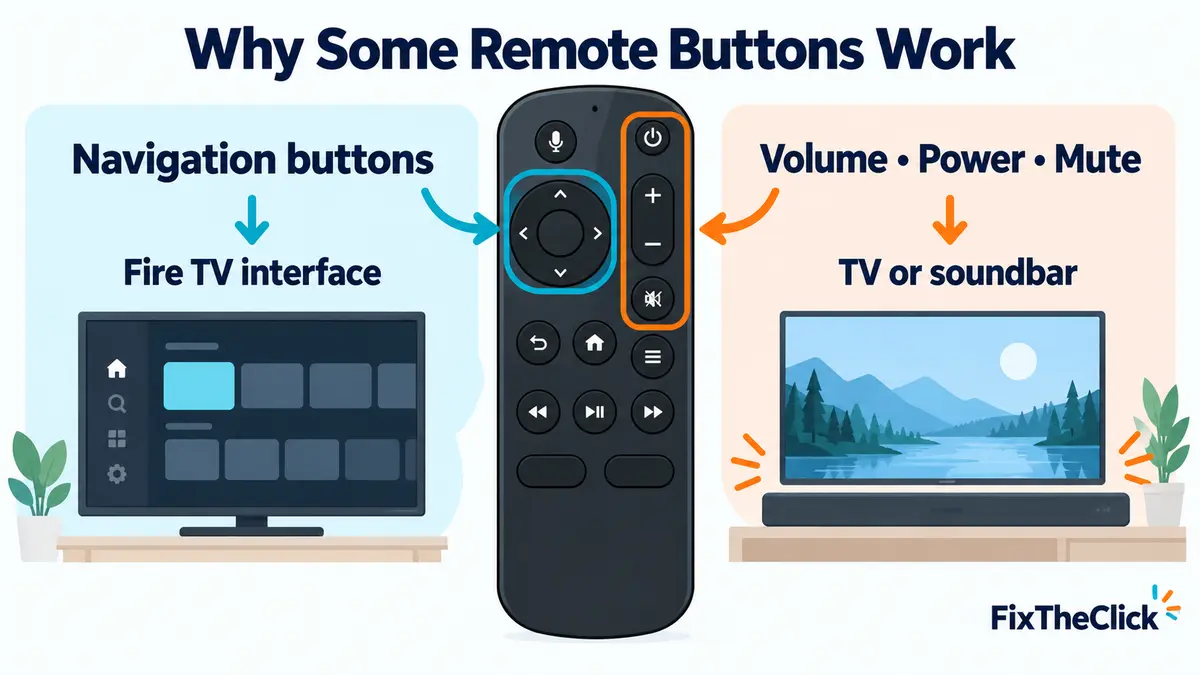
This is different from a Fire TV remote that does nothing at all. Directional navigation and Home control the Fire TV interface, while volume, mute, and power may control a separate television, soundbar, or receiver. That difference explains why only one group of buttons can fail.
Why navigation works but volume does not
The navigation ring, Back, and Home buttons send commands to the Fire TV. The TV-control buttons are configured for connected equipment. Depending on the setup, they may use infrared control or compatible HDMI equipment control.
You do not need a long technical diagnosis to use this clue: if menus respond normally, begin with Equipment Control, not remote pairing.
1. Confirm the correct TV is set up
On a Fire TV Stick or Fire TV Cube, open:
Settings > Equipment Control > Manage Equipment > TV > Change TV
Check the TV brand shown on the screen. If it is wrong—or if the TV was recently replaced—run the setup for the correct television. Similar model names do not matter as much as selecting the correct manufacturer and completing the response tests accurately.
Note: Fire TV smart televisions have Fire TV built into the television, so the same external-device setup path may not appear or work identically. Use the television maker’s Fire TV settings and remote instructions for that model.
2. Run Equipment Control setup again
Even when the correct brand is displayed, repeat the Equipment Control setup. Test every function the setup asks about:
- Volume Up
- Volume Down
- Mute
- Power
Do not tell the setup that a test worked when the TV did not respond. Fire TV may cycle through different control profiles based on your answer. Continue until the television reacts consistently, then finish the setup.
3. Check HDMI-CEC on the television
Some power and input-control functions require HDMI-CEC to be enabled in the television’s own settings. Manufacturers use different names and menu locations for this feature, so look for HDMI control or CEC in the TV manual or official support page.
Do not assume every television supports every command. A TV may support power control but not input switching, or it may behave differently when connected through a receiver. After changing CEC, restart both the TV and Fire TV before testing again.
4. If a soundbar or receiver is connected
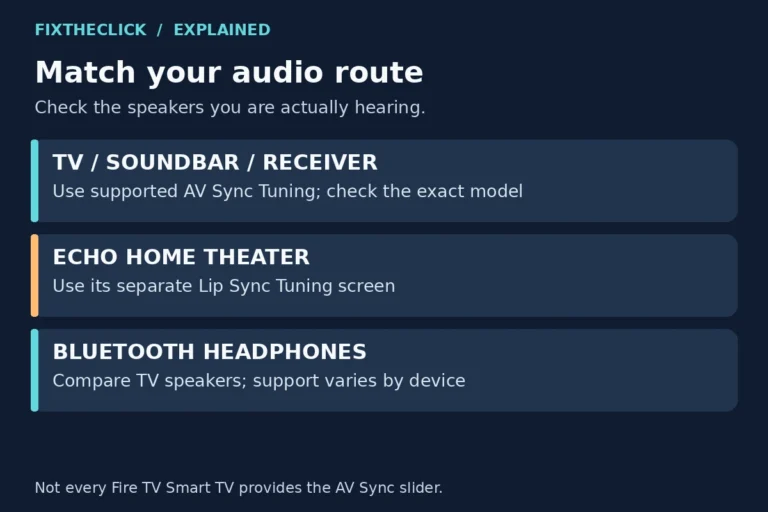
For HDMI ARC or eARC
- Confirm the cable uses the TV HDMI port labeled ARC or eARC.
- Check the TV’s HDMI-CEC setting.
- Confirm the TV audio output is set to the connected audio system.
- Restart the TV, soundbar or receiver, and Fire TV after reconnecting them.
An ARC/eARC cable path can carry audio while equipment-control commands are still misconfigured. Do not replace the cable merely because the remote volume buttons fail; first verify that Equipment Control and CEC are correct.
For optical audio
Optical audio does not use HDMI-CEC for remote commands. Set up the soundbar separately under Settings > Equipment Control > Manage Equipment > Add Equipment > Soundbar. Follow the response tests so Fire TV selects a compatible control profile.
If TV volume works but soundbar volume does not, this separate soundbar setup is the most relevant place to check.
5. Check for a blocked IR path
Point the front of the remote toward the TV or soundbar, remove objects blocking the equipment, and test from a short distance. Check the front of the remote for cracks, dirt, or physical damage.
A Fire TV hidden behind the television can still receive navigation commands while the TV’s infrared receiver cannot see the remote. That produces the exact pattern where navigation works but volume and power do not.
6. Restart or reset the remote only if necessary
Do not make a full remote reset the first step when only the TV-control buttons fail. Restart the Fire TV and connected equipment after correcting Equipment Control.
If navigation, Home, and several other buttons also become unreliable, check our guide for a Fire TV remote that does not work after new batteries. If a compatible remote shows an orange light or fails to pair, use the dedicated Fire TV remote blinking orange guide.
7. When to replace the remote
Consider replacement only after the equipment setup is correct and the failure points to the remote itself:
- Another compatible remote controls the same TV normally.
- The volume, power, or mute buttons have no physical response.
- The remote has liquid, impact, or button damage.
- The remote is not compatible with the Fire TV or television setup.
- Equipment Control completes correctly but the same buttons consistently fail.
| Symptom | Most likely area to check |
|---|---|
| Navigation works, volume does not | Equipment Control |
| TV volume works, soundbar volume does not | Soundbar setup |
| Fire TV app power control does not work | HDMI-CEC and compatibility |
| No remote buttons work | Batteries, pairing, or remote reset |
| Orange light appears | Remote pairing |
Before buying replacement equipment
A compatible replacement Fire TV remote is appropriate only when the current remote is damaged or proven faulty. An HDMI ARC/eARC cable is relevant when the audio connection itself is unstable or the existing cable does not meet the equipment requirements—not simply because a volume button is unconfigured. A separate soundbar remote may be useful when the soundbar is unsupported by Fire TV Equipment Control.
Frequently asked questions
Why does my Firestick remote navigate but not change volume?
When a Firestick remote volume is not working while navigation responds, the remote is likely connected to Fire TV but its TV-control profile is missing or incorrect. Repeat the TV setup under Equipment Control and answer each response test accurately.
Why will the remote control the TV but not the soundbar?
The soundbar may require its own Equipment Control setup. Add it as a soundbar, then check the ARC/eARC or optical connection and the TV’s selected audio output.
Do I need to pair the remote again?
Usually not when navigation works normally. Pairing becomes relevant when Fire TV controls also fail, the remote disconnects, or a compatible remote shows an orange pairing indicator.
Bottom line
When a Fire TV remote volume button is not working but navigation still works, start with Equipment Control. Confirm the TV, repeat the response tests, then configure the soundbar separately if needed. Reset or replace the remote only when the wider evidence points to a pairing or hardware failure.
Official references: Amazon volume, power, and mute troubleshooting, Amazon Equipment Control overview, and Amazon soundbar remote setup.
Fire TV and Fire TV Stick are trademarks of Amazon.com, Inc. FixTheClick is an independent troubleshooting site and is not affiliated with Amazon.