Fire TV Low Storage? Free Up Space Without a Factory Reset
Fire TV low storage warning? Compare cache, offload, Clear Data, and uninstall so you can free space without needlessly losing app access.
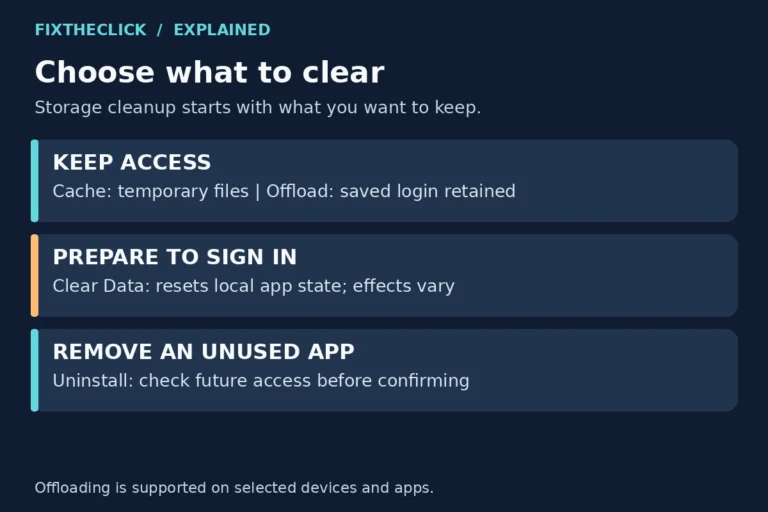
Fire TV low storage warning? Compare cache, offload, Clear Data, and uninstall so you can free space without needlessly losing app access.
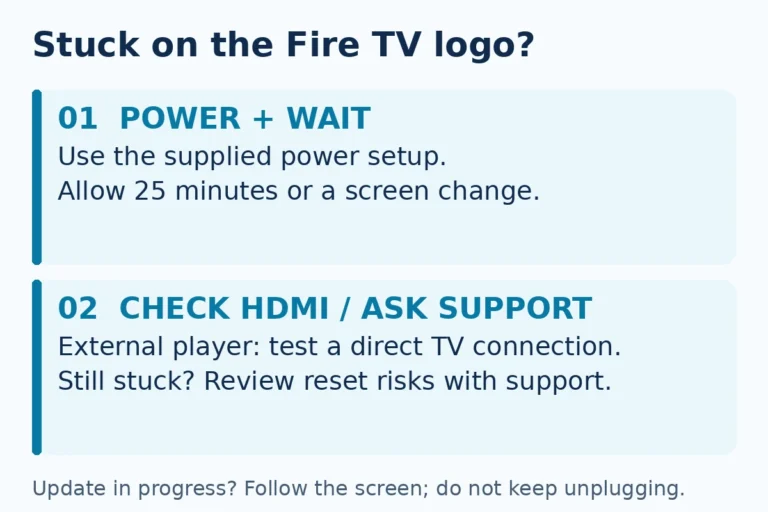
Fire TV stuck on logo? Check power, allow startup time, and test HDMI connections before a factory reset that removes account information.
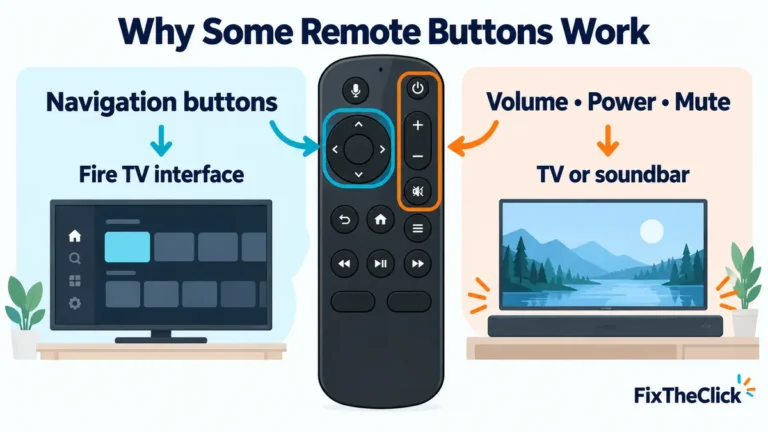
Fire TV navigation works but volume, power, or mute does not? Reconfigure Equipment Control for the correct TV, soundbar, HDMI-CEC, and IR path.
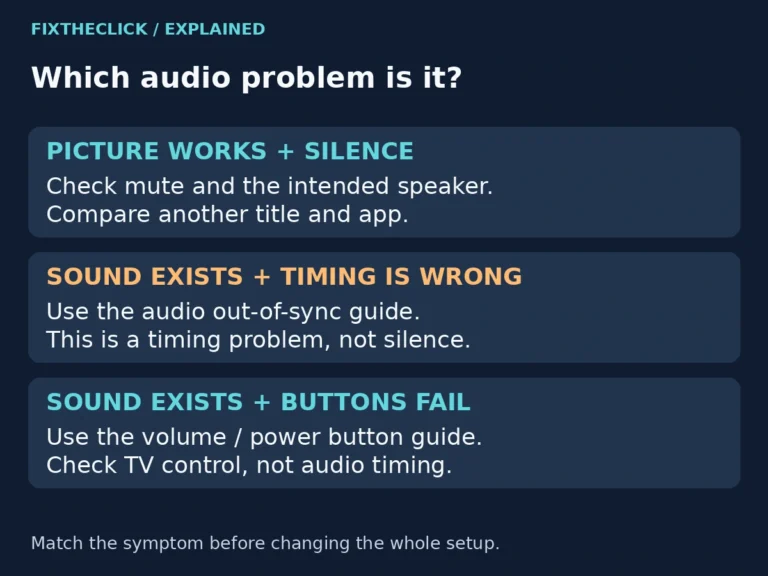
Fire TV has no sound but the picture works? Check the active speaker, compare apps, and use supported diagnostics before resetting your device.
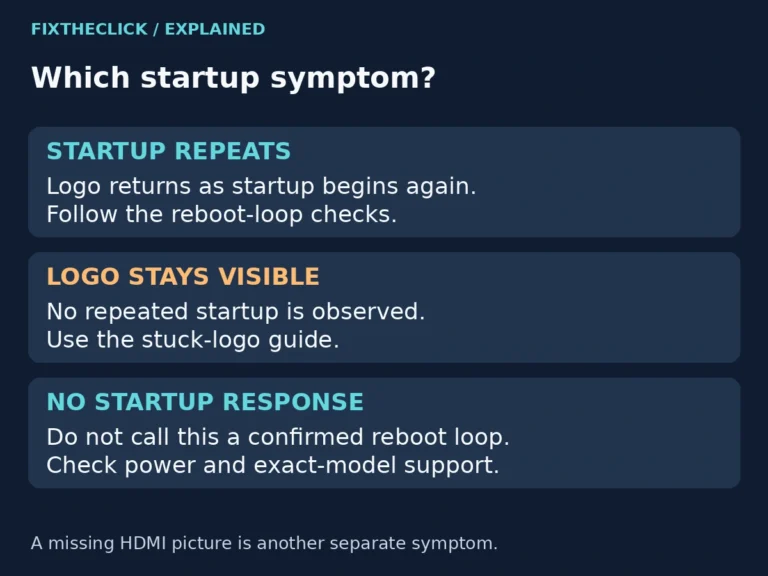
Fire TV keeps restarting? Identify the device, check its power supply, and test a simpler connection before considering a factory reset.
A Fire TV “No Signal” message usually points to the wrong HDMI input, weak power, or a bad connection. Work through these checks before replacing anything.
Fresh batteries but the Fire TV remote still does nothing? Check battery contact, restart the Fire TV, pair the remote, and reset it in this order.
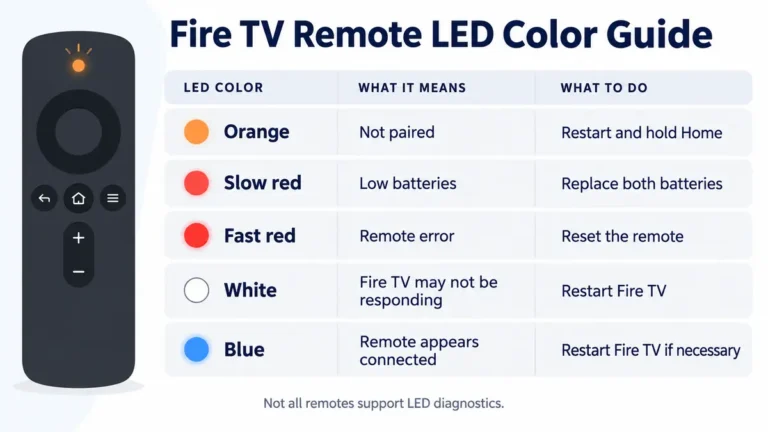
A blinking orange Fire TV remote is usually unpaired. Learn what the LED means, retry pairing, reset the correct model, and check compatibility.