Netflix UI-800-3 (100018) on Fire TV? Refresh Your Sign-In
Netflix will not open, and the screen shows UI-800-3 (100018). The number in parentheses matters: do not discard it when looking for a fix.
For this exact error on Amazon Fire TV or Fire TV Stick, Netflix’s official instructions start with signing out of Netflix and signing back in. Have your Netflix sign-in method ready before ending the current session.

1. Match the Entire Error Code
Check that the screen actually includes (100018). Netflix’s guide for this exact code says this variant typically concerns information stored on the device that needs refreshing. Its general UI-800-3 guide directs users with additional numbers to the instructions for the complete code.
Take a note of when it appears: immediately after opening Netflix, after choosing a profile, or when starting a program. That record will help if the sign-in refresh does not resolve it.
This walkthrough is for the Netflix app on Fire TV—not an error in the phone’s Fire TV remote app.
2. Use Netflix’s Help Menu When Home Opens
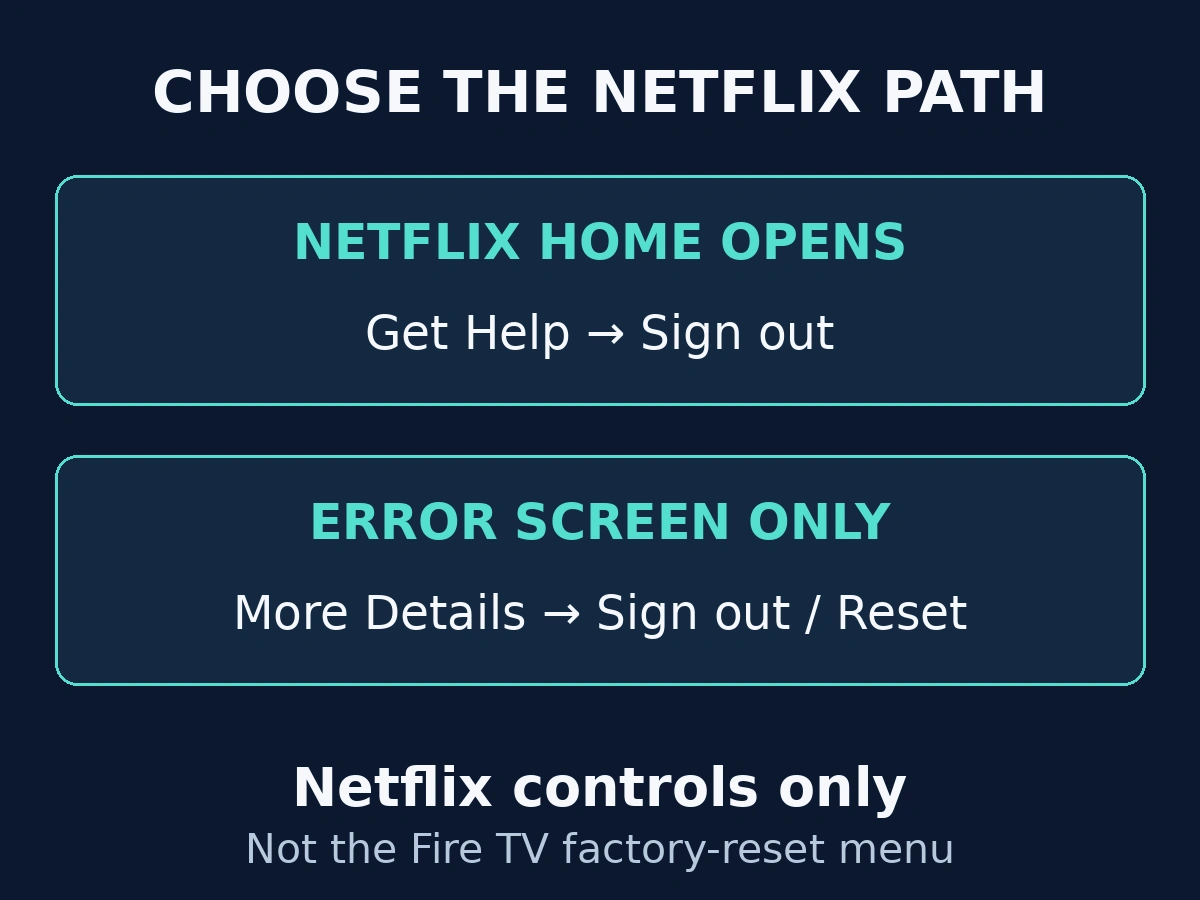
From Netflix Home, press Back to reach its menu. Find Get Help, choose Sign out, and confirm.
The menu can appear across the top or down the left. With the top layout, look under the profile area; with the left layout, look near the bottom. Sign in again and repeat the action that produced the error.
Use this Netflix sign-out action rather than deregistering the Fire TV from the Amazon account.
3. Use the Error Screen When Home Is Unavailable
If you cannot reach Netflix Home, look for More Details on the error screen. Netflix’s instructions then offer a Sign out or Reset option, followed by signing in again. This is the control inside Netflix’s error flow, not the Fire TV’s factory-reset menu.
Pause before proceeding if you cannot regain access to the Netflix account. Do not repeatedly end sessions without a working way to sign back in.
4. Test the Original Failure and Escalate with Details
After signing in, try the same profile and program. Record whether the original code remains, disappears, or changes.
If a different code appears, use that new full code to find the appropriate instructions. When the documented steps do not help, Netflix directs users to its customer service.
Provide the Fire TV model, complete error, and result of the sign-out attempt. Keep passwords and verification codes out of public comments or screenshots.
If the app simply closes without showing this error code, use the separate Fire TV app-crash guide for that different symptom.