Roku Activation Email Not Arriving? Resend the Link and Finish Setup
The TV is waiting for activation, but your inbox is empty. Before starting setup again, check which address Roku is using and whether the message went to junk. If an email did arrive, the next question is whether its link still works—not whether the player needs a reset.
This guide covers the email step during initial Roku activation. Password recovery and account verification are separate processes; use the instructions for the message you actually requested.
Quick Answer
Roku activation email not received? Wait a few minutes, check the correct inbox and spam folder, then verify the email spelling on the TV. On the activation screen, press the remote’s Star button and select Resend activation link or Edit Roku email, as appropriate. Keep the TV on that screen while finishing the official setup flow. Activation and account creation are free.
1. Check the Inbox That Matches the TV
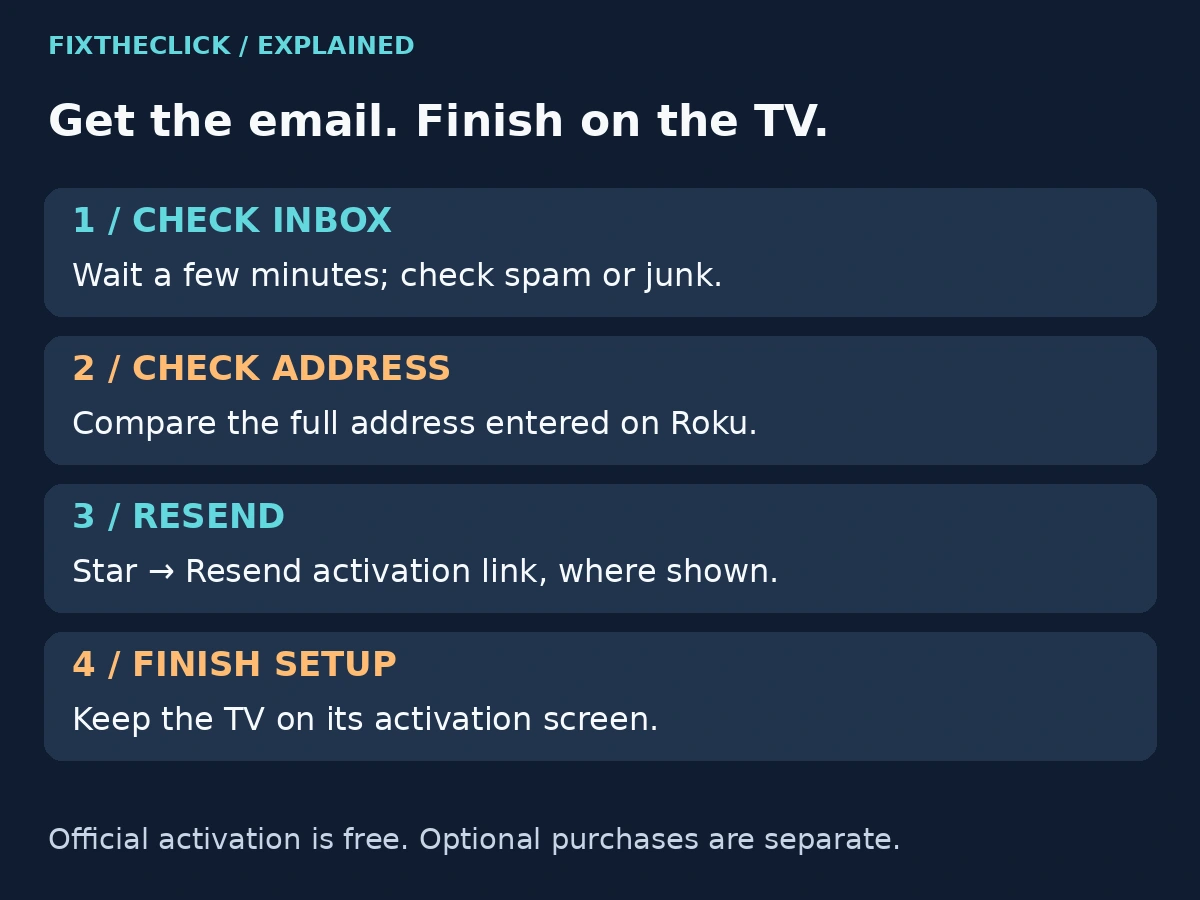
Look at the address entered during setup and compare it with the mailbox open on your phone or computer. This matters if your email app holds several accounts: an empty personal inbox tells you little if Roku is sending to another address.
Search for Roku in that mailbox, including spam or junk. Give the message a few minutes to arrive, as Roku’s activation guide advises. That is a reasonable first check, not a guaranteed delivery time.
Compare the full address, including the part after the @ symbol. A familiar-looking name with a mistyped email-provider domain can send you down the wrong troubleshooting path. Correct the address through the TV’s supported option rather than repeatedly refreshing a mailbox that does not match it.
You do not need to publish your email address to ask for help. If you take a photo of the activation screen, keep it private or cover the address and any code before sharing it.
2. Choose the Branch That Matches What Happened
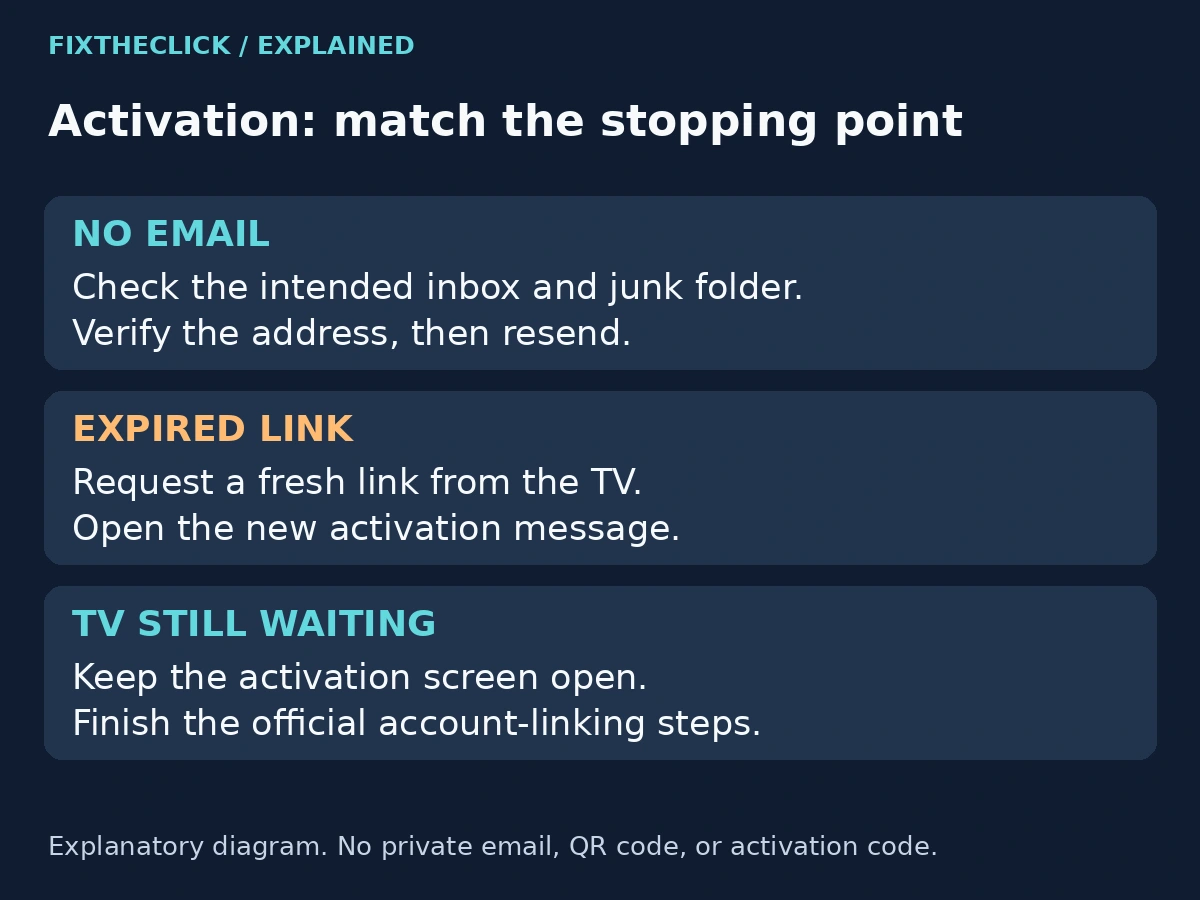
There are three different stopping points here. Identify yours before requesting another message.
| Where setup stops | Next action |
|---|---|
| No activation email appears | Check the mailbox and address, then resend |
| The email opens, but the link says it expired | Request a fresh activation link from the TV |
| The email link works, but the TV is still waiting | Keep the activation screen open and finish the remaining setup steps |
| You cannot access an existing account | Use official account-access help; do not create accounts repeatedly |
An expired-link message is evidence that you reached a link, so stay with that branch. Conversely, a missing email does not mean the TV has rejected your account. Keeping those observations separate makes it easier to describe an unresolved problem accurately.
If you are helping someone else, ask what is visible on both devices. “It didn’t work” might mean an empty inbox, an error in the browser, or a television still waiting after the browser step. Each calls for a different next action.
3. Use Star to Resend or Correct the Address
While the TV shows activation, press the remote’s Star button. Roku documents two relevant choices: resend the activation link, or edit the Roku email address. Use the edit option when the address is wrong; use resend when the intended address is correct.
After requesting the message, return to that mailbox. Identify the fresh activation email associated with the attempt you just made, rather than reopening an older message without checking its date. This is a practical way to avoid confusing successive attempts; it does not assume a universal rule about when older links become invalid.
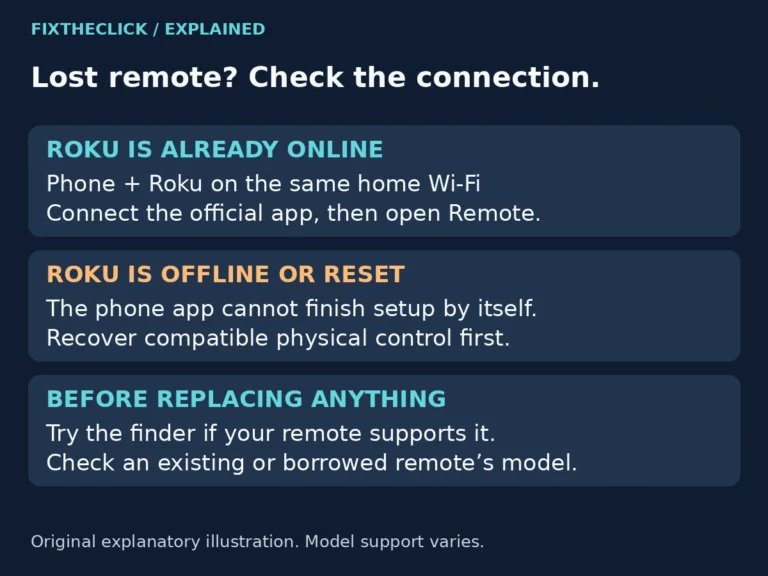
If the remote does not navigate the screen, solve that control problem first. Our Roku remote identification guide helps distinguish a simple IR remote from a voice remote that needs pairing. Do not assume an unconnected phone remote app can open the resend option for you.
If the documented choices are absent, note the screen wording and device model. Follow the options actually offered rather than trying an invented shortcut or erasing the device to make a menu appear.
4. If the Activation Link Has Expired
Return to the TV’s activation screen and request a new link using the Star menu. Then check your email again and continue with the fresh message.
There is no universal expiration interval specified in this guide. Rely on the actual error and Roku’s current instructions, not a countdown from an unrelated tutorial. If the newly requested message also produces an error, record its wording and the stage at which it appears.
Avoid sending many requests at once. Work through one clearly identified attempt so you know which message you opened. If a later message arrives after you already completed setup, check the TV’s state before starting another activation process unnecessarily.
A factory reset is not a first fix for an expired email link. The supported action addresses the link itself and preserves the setup progress already made.
5. Finish the Browser Steps With the TV Still Waiting
Opening the email is not the same as completing activation. Follow its official activation action and finish the account-linking steps. If you already have a Roku account, choose the existing-customer flow rather than making another account simply because delivery was delayed.
Leave the television on the activation screen. Roku’s guide specifically requires that screen to remain available to finish setup. If you moved away and setup stalled, follow its Star-and-email instructions to resume. Completion should take the Roku to its Home screen.
Some supported setup screens offer a QR route. Use the code displayed by your own device and follow the official link it opens. If that screen offers a supported code-entry alternative, use its instructions. These options are not a promise that every model presents identical controls, and no QR code in an article should replace the one on your TV.
If the browser reports success but the TV has not completed, note both states before taking further action. Keep the exact browser error, if any, and the TV message separate when contacting support. Do not confuse signing into a streaming-service app with linking the Roku device itself.
6. Activation Is Free; Optional Purchases Are Different
Roku states that activation and account creation do not carry a fee. Its activation and support scam guidance warns about imitation pages and people demanding payment for those steps. Start with official support rather than a phone number in an advertisement.
Check the actual hostname in the browser address bar. For Roku account setup or support, it should be roku.com or a subdomain ending in .roku.com, such as support.roku.com. The word “roku” elsewhere in a long address does not establish who operates the site. A familiar logo or a search ad is not sufficient verification.
A payment-method request inside the verified official flow is not automatically fraudulent. Roku explains that payment information may be used for purchases you separately choose. Read any offer before accepting it: free activation does not make every subscription or movie free.
Do not give another person your password or activation code, or let them activate the device under their own account. If someone asks for an activation fee, stop and use Roku’s official support page.
7. What to Report if You Are Still Stuck
Record the device model, software version if available, the current TV screen, and whether the email is missing, expired, or opens without completing setup. Note whether you corrected the address or requested a fresh link. Share identifying account details only through the appropriate official support channel, not a public comment.
If you cannot reach activation because the device has not connected to the internet, that is an earlier setup problem. This article’s resend steps assume you have reached the activation stage. Do not restart the router merely because a correctly requested email has not appeared.
Frequently Asked Questions
Do I need a new Roku account to get another email?
No. A delayed activation email is not a reason to create several accounts. Correct the address if needed and follow the existing-account option when it applies.
How long should I wait for the activation email?
Roku says to wait a few minutes, then check junk, the address, and the resend option. It does not guarantee that every mailbox receives the message within a fixed time.
Should I pay someone to finish activation?
Roku activation is free. Use the official setup and support flow, and distinguish optional purchases from a demand for an activation fee.